
Paper planners are awesome, and I’ll probably never stop using them.
But there are some things I need to do that paper just won’t work for.
Maybe they’re tasks that I need to do over and over, or checklists that I reuse and need to delete some things every now and then.
And that’s where Trello comes in!
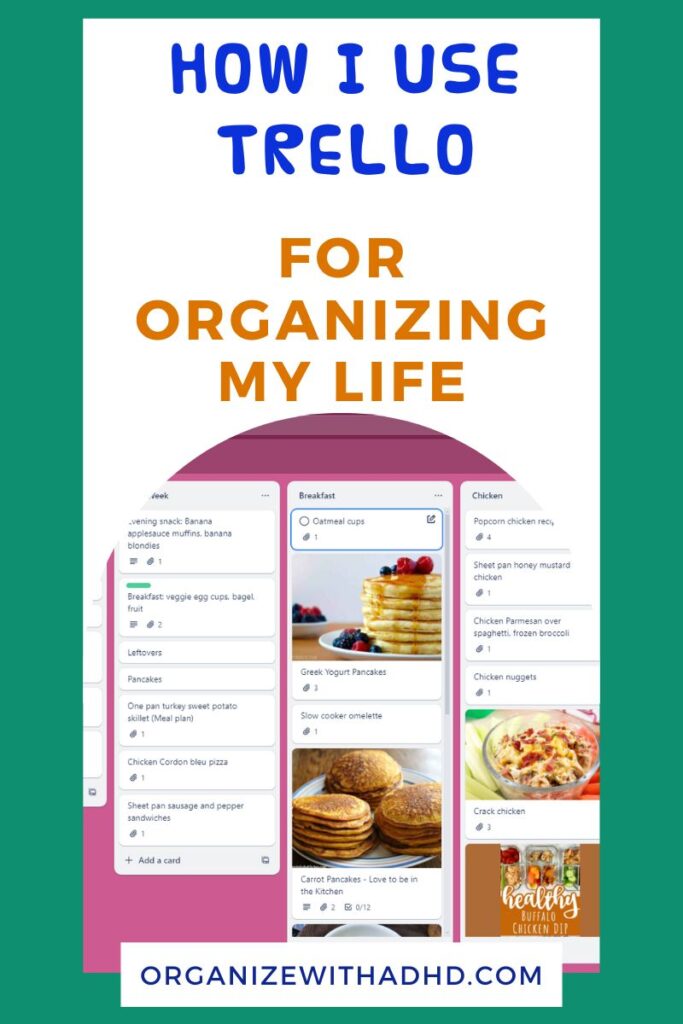
What is Trello?
Trello is an organizational app that’s primarily used in businesses. But I’ve made it work for my everyday life too!
Think of Trello like a bulletin board. You can have multiple boards for different aspects of your business or life.
And on each board, you can create Lists. These are the broad categories that relate to your board.
And finally, you can create Cards on each List. You can think of these like “to-dos” or other smaller important things within that List.
I know that sounds confusing. Below, I’ll go into more detail and show you exactly how I use the Lists and Cards.
Where to Find Trello
You can use Trello in many different ways:
- Android
- iPhone
- Microsoft PC app
- Apple computer app
- Browser-based
And the best part is, they all sync with each other. So as long as you’re logged in on all of your devices, you can go right from your phone to your computer and access all the same information.
How I Use Trello Everyday
Meal planning
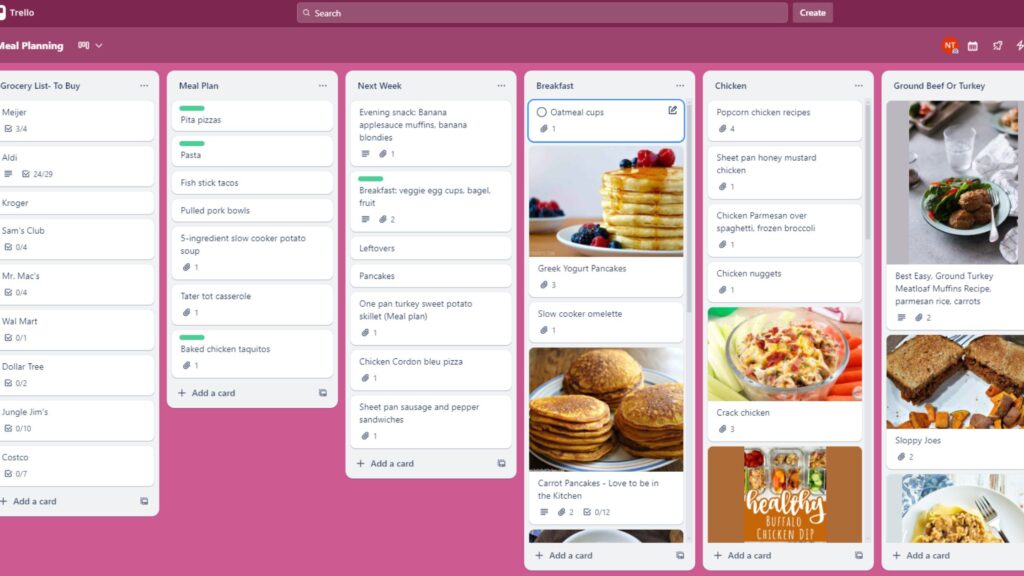
Everything related to meal planning is in here. My Meal Planning board has:
- Grocery lists for the multiple stores I shop at
- My weekly meal plan
- My plan for the next week
- Lists with my favorite recipes
When I plan my meals for the next week, I’ll add the ingredients to one of the grocery lists, using the Checkbox function. And when I shop, I simply check the box when I grab the item.
I can also add random things to the grocery lists throughout the week. So if I use the last of the baking powder, I can put that on the list immediately so I don’t forget.
And remember: Trello syncs with your computer and phone. So it’ll be there the next time you sit at your computer.
Work tasks
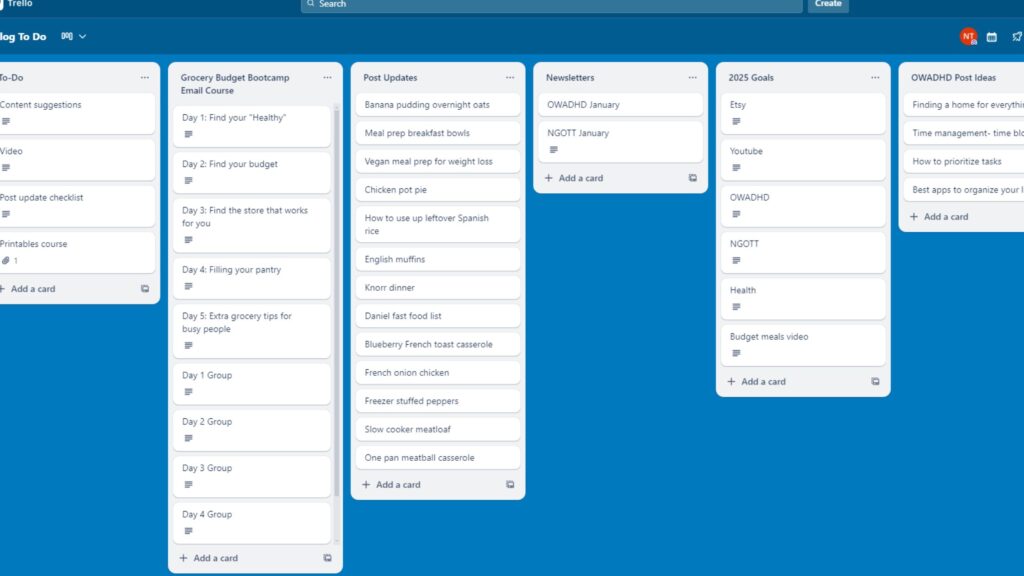
All of my ideas, goals, and social media content are stored on Trello boards. I actually have 3 boards related to work:
- One for my two blogs and Youtube channel
- One for my Etsy store
- One for a 90-day growth plan with specific tasks and goals
They do get a little cluttered because I’ll forget to update or remove things that I’ve finished. That’s ADHD for you, right?
But I have one centralized location to put all of these things, so I don’t have piles of paper, each with one good piece of info.
To-do lists
The next two are both on my general Life board.
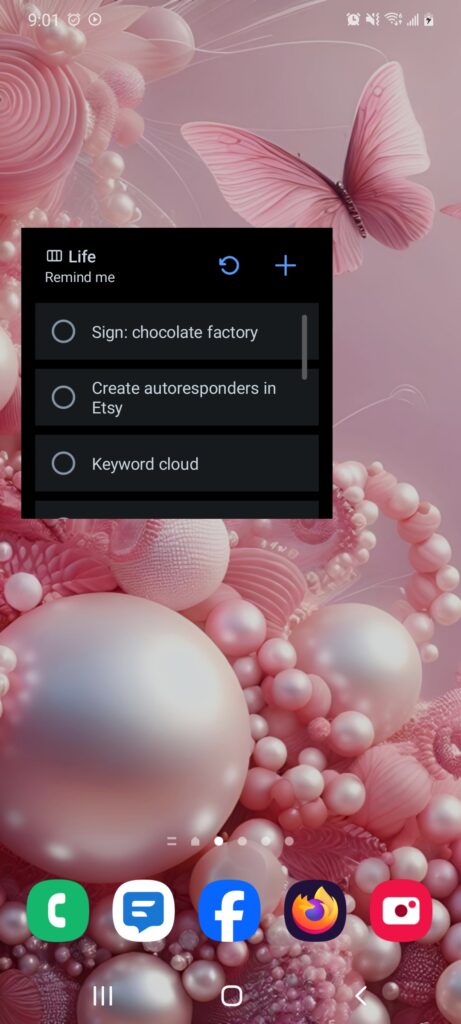
If I’m out and about and need to remind myself of something, or get a good idea I don’t want to forget, I’ll add these to my “Remind Me” list.
One great thing about Trello is that you can add a shortcut to your phone to a specific list. So on my home screen, I have my “Remind Me” list front and center. I click the Plus sign, type in my reminder, and it adds a card to that list for me to look at later.
Packing lists
We go on vacation a few times a year, and packing is the bane of my existence.
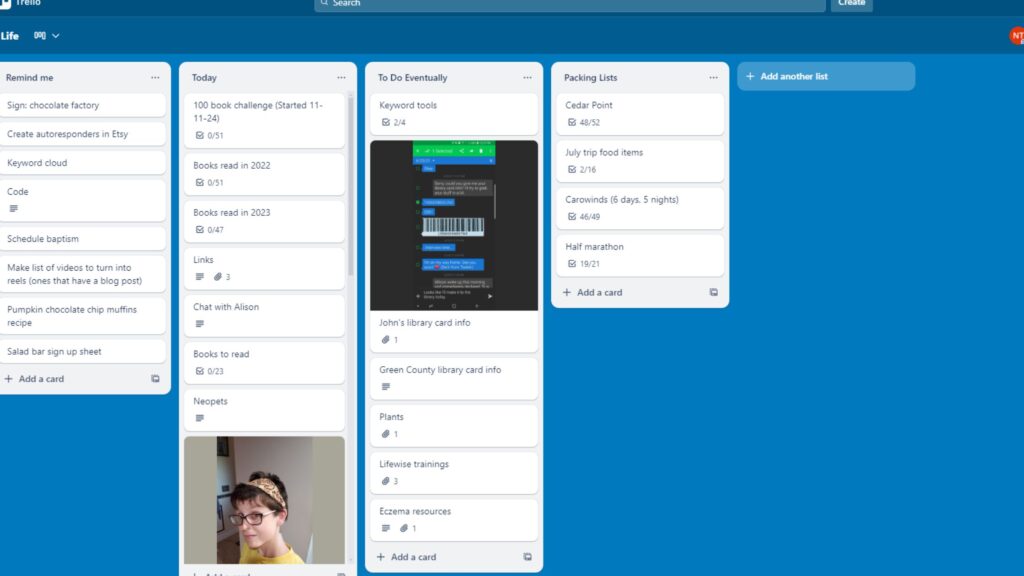
I know I’ll inevitably forget something, so I have an ongoing packing list on Trello.
My favorite part about these checklists: You can check and uncheck the boxes as needed. They don’t get removed from the checklist. So I can use these over and over.
Since we tend to go to the same places for the same amount of days, I have multiple packing lists.
For example: Cedar Point is usually a one-night stay, so the number of each clothing item we need is always correct.
And we usually spend almost a week at another amusement park, so we’ll obviously need more clothes there.
I also used to run a few half marathons a year. So I also have an old checklist of all the items I’d need there.
Find What Works For You
Trello may not be for everybody. It may sound complicated, but really it’s pretty simple.
I will say, though: I still have a paper planner for my daily and weekly to-dos. My brain does better with that.
So maybe you do a hybrid-style like I do! The important thing is to find something that works and that you can stick to.
Download Trello
Want to try this for yourself? Here’s where to create a free Trello account:
Leave a comment and tell me: Do you prefer a pen-and-paper or a digital style of planning?

Jaime is a Nutrition Coach and professional writer. She enjoys cooking easy meals, running, and learning more about food.
Jaime specializes in helping women with ADHD organize their home and brains in a way that’s do-able and not overwhelming.
Leave a Reply